
Your workshop attendance. On record.
Your PDF certificate of attendance lists the topics covered and the course dates. Use your Open Badge to share your attendance on LinkedIn.
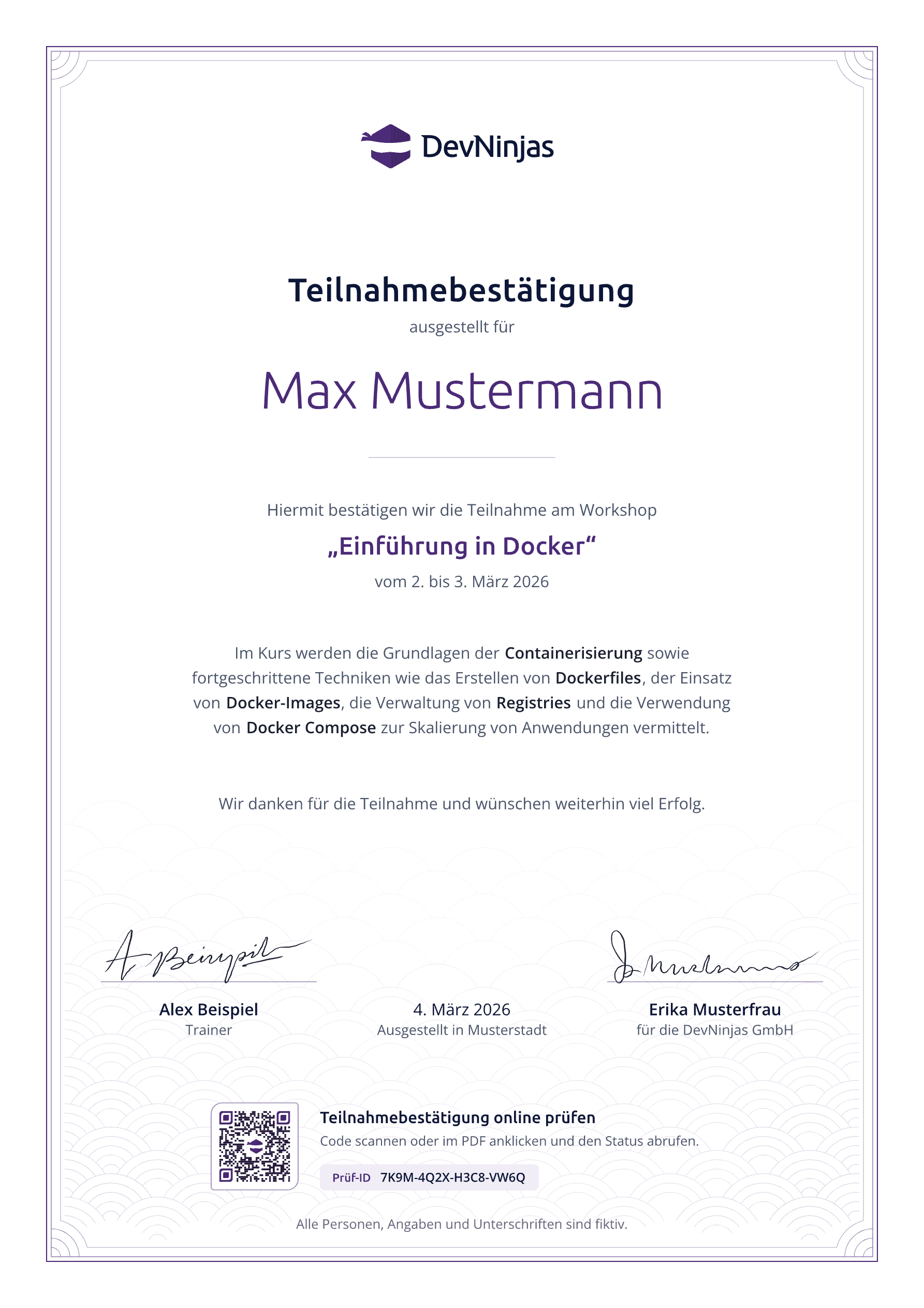
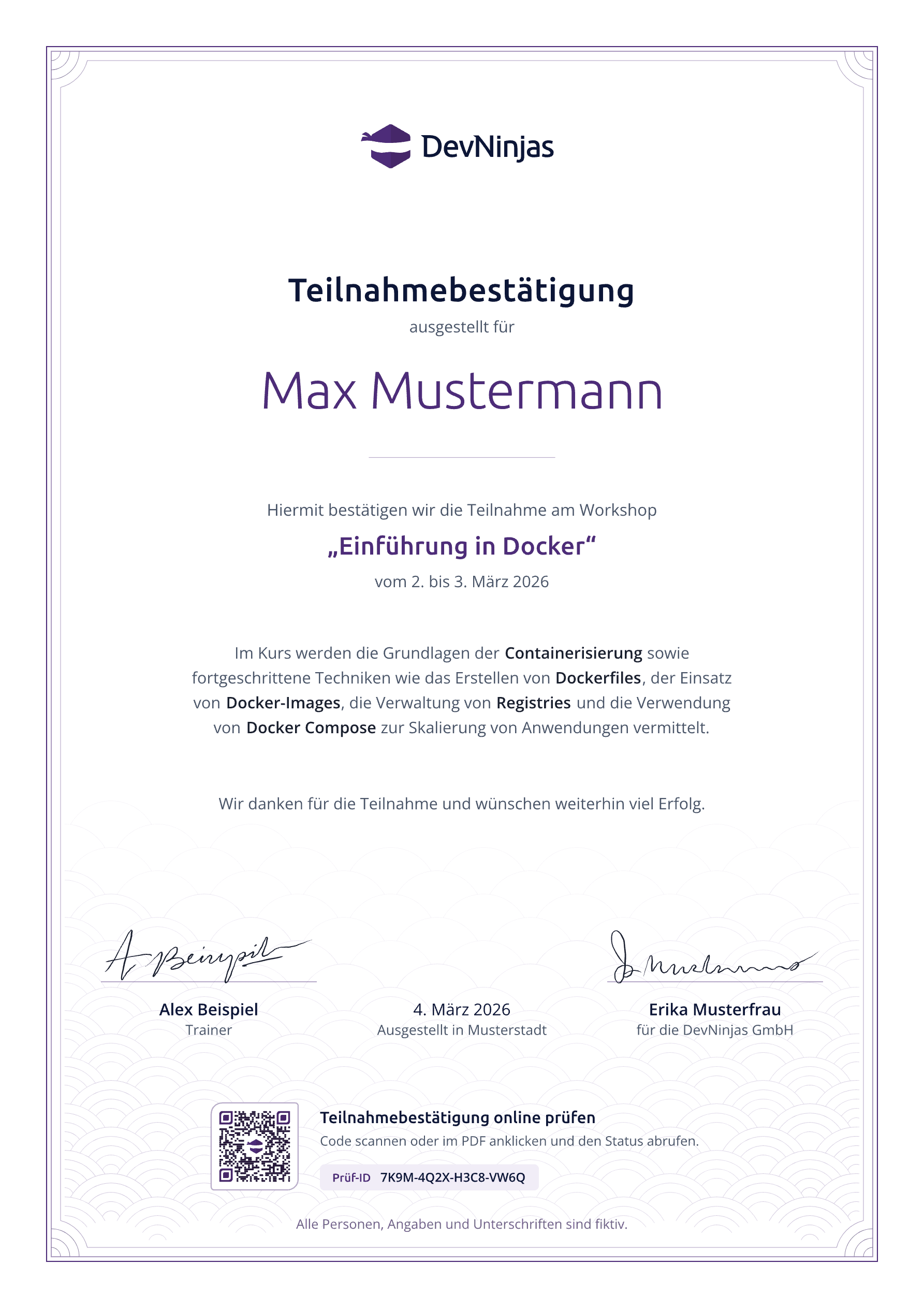
Sample with fictional details and signatures
What is on my certificate of attendance?
The PDF lists your name, the workshop, the course dates and the topics covered.
For your training records
Submit the PDF to HR. They can use it to check when your training took place and what it covered.
For your professional profile
You also get an Open Badge to share your workshop attendance on LinkedIn.
The PDF and Open Badge confirm that you attended the workshop. They show no exam result.
How do I get my workshop records?
After the workshop, DevNinjas emails you your personal pickup link. Use the link to download your workshop records without an account.
ToMax Mustermann
Your workshop records for “Introduction to Docker”
Hello Max Mustermann,
Your certificate of attendance and Open Badge are ready for pickup.
Personal pickup link(hidden in this sample)
Personal pickup
Introduction to Docker
- Certificate of attendancePDF
- Open Badge
Keep your personal pickup link private.
Share your certificate
The QR code on your certificate contains the public verification link.
How do I verify a certificate of attendance?
Scan the QR code on your certificate or enter the printed verification ID. The public register shows the status, workshop, course dates and issuer.
Verification ID on the certificate
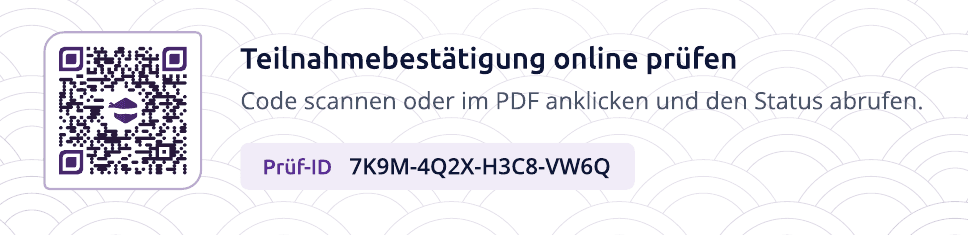
Verify the certificate online
Scan the QR code or click it in the PDF to check the status.
Public register entry
Sample view
Introduction to Docker
- Issuer
- DevNinjas GmbH
- Course dates
- 2–3 March 2026
- Verification ID
- 7K9M-4Q2X-H3C8-VW6Q
- Register status
- Not checked for this sample
The name stays private. The result applies to the register entry. The lookup cannot check identity or later changes to the PDF.
FAQs about workshop certificates
What does a DevNinjas certificate of attendance confirm?
A DevNinjas certificate of attendance confirms your workshop attendance only. Public workshops and corporate training include a PDF certificate and an Open Badge.
The certificate confirms attendance for Kubernetes certification exam preparation workshops as well. The examining body issues the exam certificate after you pass the exam.
Does my certificate of attendance list training hours?
The certificate of attendance does not list training hours. The PDF gives the workshop’s start and end dates.
You can use the PDF in your training records to show which workshop you attended and what topics it covered. If HR needs to record training hours, check what documentation they require before booking.
Is the verification link enough for my employer?
If your employer needs proof of attendance with your name on it, send them the PDF certificate of attendance. They can use the public verification link to look up the register entry for the verification ID.
You’ll find the verification link in the QR code on the certificate and on your personal pickup page. Keep the personal pickup link from your email private.
What information is public when someone verifies my certificate?
When a register entry is publicly available, it shows the verification ID, workshop, course dates, issue date, issuer and status. Your name appears only on your certificate of attendance. Anyone can open the public result without an account. The PDF is accessible through your personal pickup link while it is valid.
DevNinjas keeps the register for ten years after the workshop. See the privacy policy for details on retention.
What does online verification confirm about a certificate of attendance?
Online verification checks the register entry for the verification ID. Enter the verification ID on the certificate verification page. If the lookup returns public details, compare the verification ID, workshop and course dates with the PDF.
This lets you match the details on the certificate to the register entry. You’ll find the name on the PDF. The person’s identity and whether the file has been altered are separate questions.
What do “Superseded” and “Revoked” mean when checking a certificate?
“Superseded” means DevNinjas issued a newer version, and “Revoked” means DevNinjas withdrew the certificate of attendance.
If you see “Superseded”, the link opens the register entry for the newer version, which has its own verification ID. This can happen after a name correction, for example. If you see “Revoked”, the register shows the date of withdrawal. Open the verification link for a fresh lookup. A screenshot captures the result of an earlier lookup.
What if the pickup email is missing or the link expired?
Contact DevNinjas if you’ve checked your spam folder and still can’t find your pickup email, or if your pickup link has expired.
Tell us which workshop you attended and whether the email is missing or the link has expired. You need a valid personal pickup link to download the PDF.
How do I download my certificate of attendance in English?
Download the English PDF from your personal pickup page. Open the pickup link from your pickup email. Select “Download PDF” on the English pickup page or “Englisches PDF herunterladen” on the German pickup page.
You can download both language versions and save them for your records while your personal pickup link is valid.
How do I add my workshop attendance to my LinkedIn profile?
Add your workshop attendance on LinkedIn under “Licenses & certifications”.
- In your profile, select “Add profile section”, then “Recommended” and “Add licenses & certifications”.
- For “Name”, enter “Attendance at the” followed by the workshop title in quotation marks and the word “workshop”. Enter DevNinjas GmbH in “Issuing organization” and the month and year in “Issue date”.
- Enter the verification ID from the PDF in “Credential ID” and the public verification link from the QR code in “Credential URL”. Select “Save”.
A feed post is a separate, optional step.
Which workshop fits your learning goal?
Choose a workshop by topic and level. Or plan training for your team.